



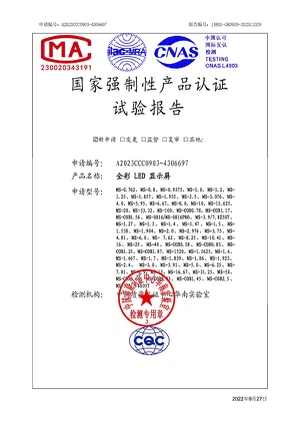
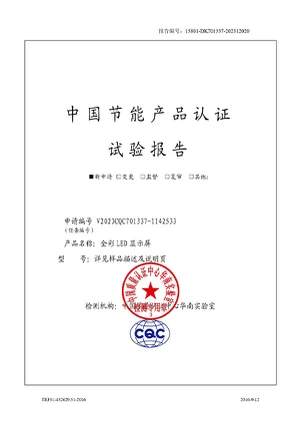
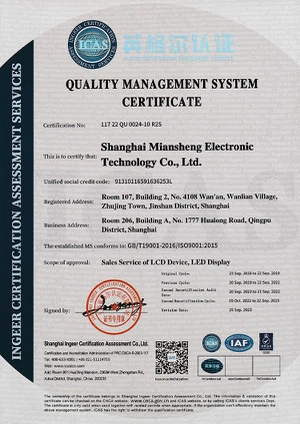
As a world-renowned brand in the field of commercial display, ONE PLUS ONE owns Excellent team,automatic management of production in first-rate ,R&D and production team,obtained multiple system certifications,quality promised.
ONE PLUS ONE provide professional and comprehensive after-sales system to ensure worry-free customer service and competitive prices to everyone.We are confident in the quality of our products and are willing to provide you with long-term technical service support.
If you are interested in high-tech outdoor shopping mall screens, display screens used in chain stores to allow customers to feel the efficacy of products more intuitively, displays made into spheres or other shapes, etc, please feel free to contact us.


What Is LED Display
LED Display (light-emitting diode display) is a screen display technology that uses a panel of LEDs as the light source. Currently, a large number of electronic devices, both small and large, use LED display as a screen and as an interaction medium between the user and the system. Modern electronic devices such as mobile phones, TVs, tablets, computer monitors, laptops screens, etc., use a LED display to display their output.

How Do LED Displays Work?
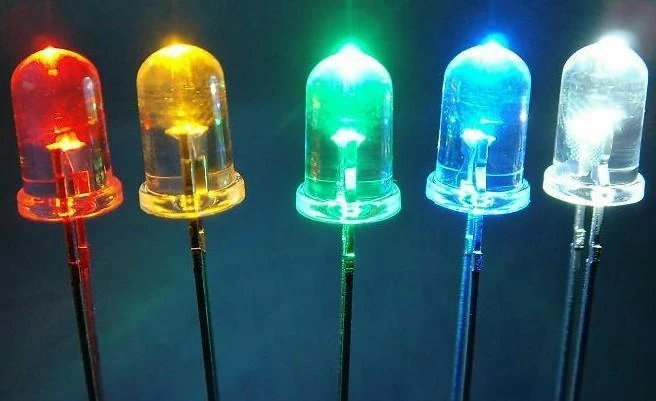
LED displays make use of a huge collection of light-emitting diodes on a flat panel. These diodes are either red, blue, or green. Each of these diodes is capable of emitting light of different brightness.Just like you learned in art class, two or more colours can combine to create new colours. Similarly, red, blue, and green light from these diodes combined in varying ratios create every colour on the spectrum.If you get close enough to an LED display, you can notice the individual diodes on the television panel.
Advantages of LED Display
Brightness and Visibility
LED displays are known for their high brightness levels, making them easily visible even in direct sunlight. This makes them suitable for outdoor advertising and information dissemination.
01
Durability
LEDs have a longer lifespan compared to many other lighting technologies. They are resistant to shock, vibration, and temperature fluctuations, which makes them durable and reliable.
02
Flexibility
LED displays can be designed in various shapes and sizes, and they are flexible enough to be curved or customized to fit specific spaces and design requirements.
03
Color Variety
LEDs can produce a wide range of colors, and many LED displays are full-color, allowing for vibrant and dynamic content.
04
Low Maintenance
LEDs require minimal maintenance compared to traditional signs, reducing ongoing operational costs.
05
Content Control
LED display boards can be updated easily with new content remotely, allowing for real-time information updates and dynamic advertising.
06
What Are The Different Types Of Led Displays?
Dot-Matrix LED Display
Dot-matrix LED displays consist of a rectangular array of LEDs followed by a space. They can be mounted serially to create a dot-matrix display.
These diodes are programmed to light up according to the number or character that is to be displayed. Each character requires about 5×8 pixels (or LEDs).
01
7-Segment Display
7-segment displays are used to present numbers by splitting the display into 7 light segments.
These segments are arranged in a formation that looks like the number ‘8’. In this formation, every number from 0-9 can be presented by lighting the appropriate segment of the display.
02
14-Segment LED Display
14-segment displays retain the basic 7-segment shape, plus additional LED segments placed in the diagonals and centre of the 8 shape.
These added sections make it possible to display letters along with numbers. This configuration is also known as the Starburst LED display.
These displays were popularized by arcade games in the ’80s.
03
16-Segment LED Display
16-segment LED display improves upon the 14-segment design by further splitting the top and bottom horizontal segments of the 8-figure. The addition of these segments adds some clarity when displaying alphabets.
04
Complex LED Displays
Segmented and dot-matrix designs are sufficient for basic graphics and alphanumeric characters. But they are unsuitable for purposes such as TV, computer monitors, or other displays that require recreation of a complete spectrum of colours and complex graphics.
05
★For this purpose, the LED screens are large-scale in nature, employing millions of LEDs. Unlike the segmented displays, the complex large-scale arrangements do not have segments or gaps between the LEDs.
What Are The Applications And Uses For Led Displays?
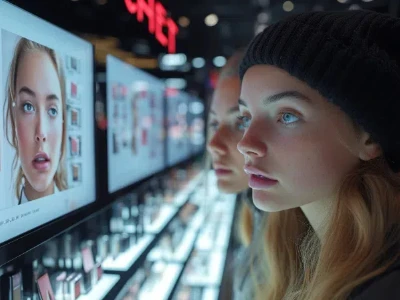
Today, LED display solutions are used in a wide range of applications. Some of these include:
- Television: TVs are the most popular application of LED screens right now. LED TVs have replaced almost the entire plasma and LCD screens market. Even within LED TVs, multiple technologies have come up, like the OLED and QLED TVs.
- Monitors: Computer monitor technology goes hand in hand with television technology. This is why monitors have also shifted towards LED technology. These are perfect for all computing applications, be it entertainment, work, or gaming.
- Smart Phones: Smartphone screens are crossing boundaries of high-definition picture quality, all thanks to LED displays. LED displays in smartphones are ultra-thin, with very high pixel quality.
- Advertising: There is no limit to how large an LED display sign can be. This is why outdoor and indoor screens are very popular nowadays for LED advertising and digital signage. You can find them used on all types of business, entertainment and sports events.
- Electronic Devices: Simple LED displays (like segmented displays) are used in electronic panels for showing alphanumeric characters.
What are the technical differences between LED screens and LCD screens?
- ► The main difference between an LED and LCD monitor comes from the screen technology used to create the picture displayed.
| LED (light emitting diode) | LCD | |
|
energy-efficient |
 |
 |
|
thinner |
|
|
|
shorter response times |
|
|
|
better contrast |
|
|
| longer lifespan compared | |
|
★LED displays allow to the creation of seamless video walls because they don’t need frames around the screen like LCD.
What is the difference in experience between LED screens and LCD screens?
When it comes to picture quality, full-array LED Display are almost always superior to LCD Display. But bear in mind that only full-array LEDs are superior. Edge-lit LEDs may actually be inferior to LCD Display.
WHICH IS BETTER FOR GAMING, LCD OR LED?
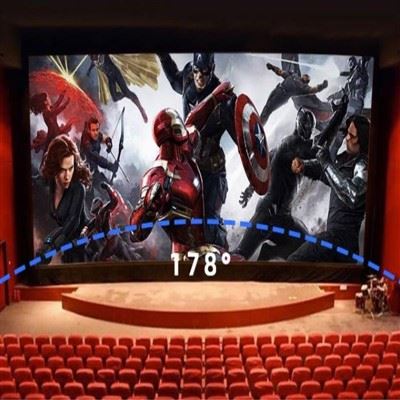
A full-array LED monitor should be your number one choice for gaming. Steer clear of its edge lighting. The problem with edge lighting is that you’ll have fewer optimal viewing angles with which to play games. That’s not an issue if you prefer to sit directly in front of the screen while you’re gaming. But if you like to kick back in your chair or view from different angles, you’ll find that an edge-lit LED loses visibility as you move away from the center viewing angle.
But even if you play while you’re directly in front of the monitor, edge-lit LEDs have more issues with glare than full-array LEDs do. That’s because of the uneven lighting (very bright around the edges, darker as you approach the center of the display). Because the pixels are evenly lit, LCD Display tend to have better viewing angles and anti-glare than edge-lit LEDs.
EDGE-LIT LEDS ARE BETTER FOR A TIGHT SPACE AND BUDGET
Edge-lit LEDs do have two big advantages. If you have a very tight space in which to fit your monitor, you’ll like having an edge-lit LED because they’re usually thinner than the other types. They’re also less expensive to manufacture, which make them easier on the wallet.
DON’T FORGET ABOUT THE SPECS
When you’re shopping for a new display, don’t forget to review all of its specs. While the backlighting type is important, you should also take the resolution and refresh rate into account.
Resolution refers to how many pixels are displayed on the monitor. Remember, the more pixels you have, the more dynamic your composition of colors can be. The highest-quality Display have resolutions of at least 1920x1080.
Refresh rate refers to how quickly your monitor updates the display with new information from your computer’s GPU. If you’re a gamer, it’s important that you get a monitor with a very fast refresh rate (30 Hz to 60 Hz) so you won’t suffer from screen tearing - a nasty visual effect that happens when your monitor can’t keep pace with the GPU.
LED Display Maintenance Tips
- The maintenance of LED display is very important for prolonging its life, maintaining good display effect and reducing failure. The following are some LED display maintenance tips:
Regular cleaning
Regular cleaning of LED displays is key to keeping their appearance clean and working properly. Use a soft dust-free cloth to gently wipe the surface of the display screen. Avoid using cleaners containing alcohol, solvents or corrosive ingredients to prevent damage to the LED or coating.
Avoid moisture
LED displays are usually not water resistant, so avoid getting moisture inside the display. When cleaning, make sure the dust-free cloth is slightly wet, not soaked, to avoid water droplets entering the display.
Control ambient temperature
LED display is sensitive to ambient temperature. Ensure that the temperature around the display screen is appropriate and avoid too high or too low temperatures. Too high a temperature may cause the LED to overheat and damage, while too low a temperature may degrade the display.
Stable power supply
Providing stable power supply is the key to the normal operation of LED display. Use reliable power supply and stable power line to avoid power supply fluctuations and voltage instability. Check the power lines and plugs regularly to make sure they are properly connected.
Avoid collision and vibration
Avoid collision and vibration of the display screen, so as not to damage the LED and internal electronic components. When installing and moving the display, perform this operation carefully to ensure that the display is securely fixed. Free to send you LED display installation guide!
Regular inspection
Check the working status and connection of LED display regularly. Watch for uneven or dim leds and loose connections. If any problem is found, repair or replace the faulty component in time.
Avoid static display for a long time
Displaying the same image at rest for long periods of time can lead to the “burn screen” effect, in which certain pixels on the display display the same pattern for long periods of time. Try to avoid long periods of static display, you can reduce the problem by changing the display content regularly or using the screensaver feature.
Adjust brightness and contrast
Adjust the brightness and contrast of the LED display properly according to the ambient brightness and demand. Too high a brightness may cause glare, while too low a brightness may cause the display to be unclear.
Pay attention to lightning protection
In the case of thunderstorms, protect the LED display against lightning. Use proper lightning protection devices, such as lightning arresters and lightning nets, to protect the display panel from lightning damage.
LED Display Moisture-Proof and Storage Requirements
- Storage temperature requirements: Ambient temperature -40°C≤t≤60°.After opening the package, LED products must be stored in an environment with a temperature <30°C and a humidity <60%;
- According to the environmental conditions of the display body and control part, anti-rodent pesticides should be placed when necessary to avoid insect bites:
- The LED display cannot be turned off for a long time. In a high-humidity environment, if the screen has not been used for more than 3 days, a preheating lighting method must be used every time the screen is lit: 30%-50% of the brightness must be preheated first.4-8 hours, then adjust to normal brightness (80%-100%) and light up the screen to remove moisture so that there is no abnormality during use.
- If the screen has not been used for more than 7 days, you need to use the preheating lighting method every time you light up the screen: preheat at 30%-50% brightness for more than 12 hours, and then adjust to normal brightness (80%-100%) to light up. The screen eliminates moisture so that there will be no abnormalities during use.
Precautions during use
Precautions for use environment
(2) Avoid use or storage in high temperature, high humidity, high acid/alkali/salt environments;
(3) Keep away from flammable items, gases and dust;
(4) Avoid strong collisions and sharp objects during transportation;
(5) When the ambient temperature is too high or the heat dissipation conditions are not good, be careful not to use the screen for a long time:
(6) When an LED display with a humidity exceeding the specified humidity is powered on, it will cause corrosion of parts and even short circuit, causing permanent damage:
Switch screen precautions
(2) Turn off the screen: First turn off the LED screen power supply, turn off the control software, and then turn off the computer correctly:
(Turn off the computer first and turn off the display screen, which will cause high highlights in the screen body, burn the lamp tube, and the consequences are serious);
(3) Switch screen time interval should be greater than 5 minutes;
(4) Avoid opening the screen in the all-white state, because this is the maximum power state, which has the largest impact current on the entire power distribution system.
Precautions for power supply
(2) Power supply voltage of LED display: 220V±10% frequency 50HZ±5%;
(3) If any abnormality such as short circuit, tripping, wire burning, smoke, etc. is found, the power should not be repeatedly tested and the problem should be found in time.
(4) Keep the power supply stable and provide grounding protection to avoid lightning strikes.
Do not use it under harsh natural conditions, especially strong lightning weather:
Cleaning precautions
Even if the indoor LED display screen is used for a long time, more dust and rain will accumulate on the screen.
Traces of scouring, which need to be cleaned regularly and promptly to prevent them from affecting the viewing effect.
(2) If you need to clean the module surface, please use a soft brush and brush gently.
It is prohibited to use any liquid substance to clean the surface of the LED module, otherwise the LED lamp beads may be damaged;
(3) Correct wiping: The surface of the large LED display screen can be wiped with alcohol, or dusted with a brush or vacuum cleaner. It cannot be wiped directly with a wet cloth.
Our Factory
Shanghai One Plus One Electronic Technology Co.,Ltd is a foreign trade subsidiary of Shanghai Miansheng group located in Shanghai,China.One Plus One constantly actively adapt to the global economic development trend,promote the enterprise in transforming and upgrading,enhance the comprehensive strength of the enterprise and the brand status of the company.Shanghai One Plus One Electronic Technology Co.,Ltd has gradually become one of the brand companies in the field of global business display.

Certificate






FAQ
Q: What are the requirements for LED display?
Brightness (lumens): The influence of the brightness factor on outdoor display will be more obvious. ...
Luminous uniformity: Check whether the light is uniform and the color is the same. ...
Chip: The chip is the determinant of the quality of the LEDs.
Q: What are the features of LED display?
Q: How does the LED display system work?
Q: Do LED displays require a backlight?
Q: What is the advantage of LED display?
Q: What type of screen is LED display?
Q: What is the difference between digital and LED display?
Q: Is LED display energy-efficient?
Q: Is LED display good for TV?
Q: What type of backlight is used in an LED display LED?
Q: What is the lifespan of an LED monitor?
Even so, it is estimated that the average lifespan of an LED display is between 60,000 and 100,000 hours, depending on the use of the screen. Thus, in the best-case scenario, this would be equivalent to using an LED screen for six hours a day for 45 years.
Q: What is the difference between LED and LCD display?
Q: Which type of LED display is best?
Q: What are the two types of LED display?
DIP LED module display has high brightness and large pixel pitch. ...
SMD LED panel is currently the most widely used product on the market. ...
GOB LED module has been improved based on SMD.
Q: What is the difference between LED and OLED display?
Q: Do LED displays wear out?
Q: Which is better IPS or LED monitor?
Q: Why LED monitors are better choice for LCDs?
Q: How to buy LED display?
Q: How does LED display work?
We're well-known as one of the leading LED display manufacturers in China. Please rest assured to buy discount LED display for sale here from our factory. For price consultation, contact us.
cob led display, large led advertising screens, led screen panel for rent